


















test

0
-
-
-
Categories
-
-
-
-
-
-
-
-
-
-
-
-
-
-
-
-
-
-
- Akumulatory do bandownic
- Akumulatory do drukarek
- Akumulatory do foteli
- Akumulatory do stroboskopów
- Batteries for roller shutters
- Camera batteries
- Control device
- Diagnostic devices
- Flashlight batteries
- Gas nailers
- Geodetic devices
- Maszynki do strzyżenia
- Medical equipment
- Mop Batteries
- Mower batteries
- Thermal imaging cameras
- Welding accessories
-
-
-
-
-
-
-
-
-
Bicycles
- A2B
- Acecycles
- AEG
- Ansmann
- BionX
- BMZ
- Bulls
- Chilwee
- Clean Air
- Cleantron
- Derby
- Di Blasi
- Easy Motion
- Ecobike
- Fischer
- Gazelle
- Giant
- Grace
- Guru
- Heinzmann
- Hercules
- Kalkhoff
- Karcher
- Leaos
- Maratron
- Mate
- Matrabike
- MiFa
- NCM
- Panterra
- Phylion
- Prophete
- Protanium
- Qwic
- Sachs
- Samsung
- Sparta
- Stromer
- Suntour
- Sushi
- Telefunken
- Tianneng
- TranzX
- Triride
- Urban Mover
- Xiaomi
- Xion
- Yamaha
- Forklifts
- scooters
- Segway
- Skateboards
-
Bicycles
-
-
-
-
-
-
-
-
-
-
-
-
-
-
-
-
Kategorie
-
-
-
Featured
-
-
-
-
-
-
-
-
-
Kategorie
-
-
-
Featured
-
-
-
-
-
-
Latest posts
-
-
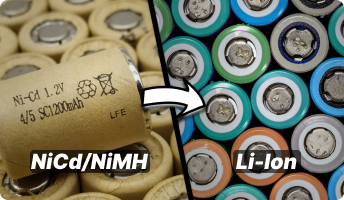 Dlaczego nie warto przerabiać akumulatorów NiCd/NiMH na Li-ion?
Artykuł wyjaśnia, dlaczego przerabianie akumulatorów NiCd i NiMh na Li-ion w elektronarzędziach często nie ma sensu...
-
 MEMORY EFFECT – TRUTH OR FICTION?
The so-called battery memory effect, often referred to as “cycle memory”, was traditionally described as a phenomenon...
-
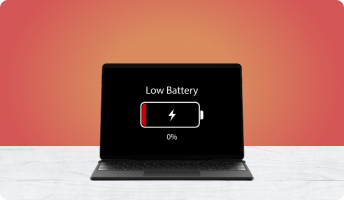 WHAT TO DO WHEN YOUR LAPTOP BATTERY REFUSES TO CHARGE
Wielu użytkowników laptopów spotyka się z sytuacją, w której bateria przestaje się ładować, system nie pokazuje jej...
-
 BATTERY CAPACITY LOSS – WHY DOES MY BATTERY LAST ONLY 10 MINUTES?
Does your laptop battery last barely 10 minutes? Does moving the laptop from one room to another require you to...
-
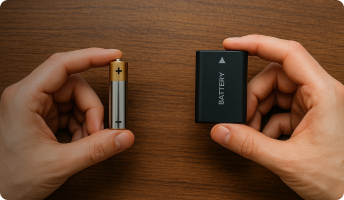 WHAT IS THE DIFFERENCE BETWEEN A BATTERY AND A RECHARGEABLE ACCUMULATOR?
Batteries and rechargeable accumulators are an essential part of modern life. Każdego dnia używamy urządzeń...
-
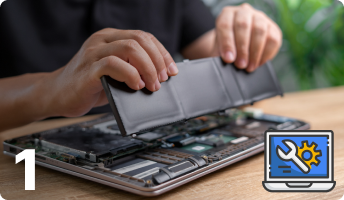 HOW TO REGENERATE A LAPTOP BATTERY – PART I
Regenerating a laptop battery is far more complex than it may initially seem. It requires precision, technical...
-
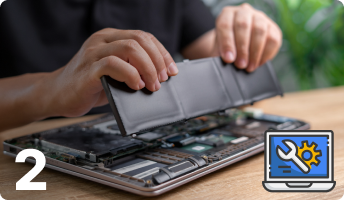 HOW TO REGENERATE A LAPTOP BATTERY – PART II
Regenerating a laptop battery may sound simple, but in practice it requires precision, technical awareness and a...
-
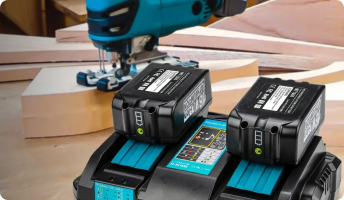 BATTERY CHARGERS
Choosing the right battery chargers increases the performance and lifespan of a battery. Selecting an unsuitable...
-
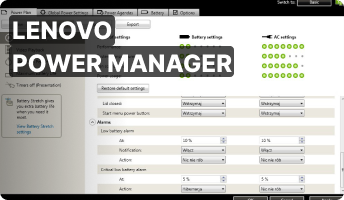 LENOVO POWER MANAGER
Program komputerowy firmy Lenovo o nazwie Power Manager jest świetnym programem do zarządzania energią w laptopach....
Blog categories
Search in blog
Archived posts
PROBLEM WITH CHARGING A DELL BATTERY
In our daily work we have seen many situations where a brand-new Dell battery would not charge correctly. Windows displayed the well-known message “plugged in, not charging”. At first glance the diagnosis seems obvious — a faulty battery. Unfortunately, reality is not always that simple. Recently we had several customers with exactly this issue. We replaced the battery with a new one — and the problem remained. We tried another battery, then a third one, and every single time the laptop still refused to charge. What’s interesting is that the very same batteries worked perfectly in other Dell laptops of the same model.

The solution was eventually found on an international tech forum. It turns out that laptops from the Dell Inspiron 15xx series are extremely sensitive when it comes to the power adapter. Even if the charger is original and correctly detected in BIOS, it may still not match the exact requirements of that particular laptop model. Dell laptops often require the “native” adapter — meaning that both the voltage and the current must match the specifications precisely. To solve this problem, it is best to visit a computer store or a laptop service center and test several different Dell chargers on the spot to check which one will properly initiate battery charging.

One of our customers found an alternative method that helped him solve the charging issue on his Dell laptop:
1. Turn off the laptop
2. Remove the battery
3. Connect the power adapter
4. Turn the laptop on
5. Before the operating system starts loading, insert the battery back into the laptop (without disconnecting the charger)
6. Once the system boots, check whether the charging process has started
We have not personally tested this workaround. However, we can assure you that inserting the battery while the laptop is powered on through the charger will not damage the laptop or the battery.
Posted in:
Problemy z ładowaniem baterii
Related posts
-
 RESETTING THE SMC CONTROLLER
Learn how to diagnose when your MacBook requires an SMC reset and how to safely perform the procedure yourself.Read More
RESETTING THE SMC CONTROLLER
Learn how to diagnose when your MacBook requires an SMC reset and how to safely perform the procedure yourself.Read More -
 BATTERY LIFESPAN IN A LAPTOP
If you have ever wondered how to extend the lifespan of your laptop battery, this article will guide you through the...Read More
BATTERY LIFESPAN IN A LAPTOP
If you have ever wondered how to extend the lifespan of your laptop battery, this article will guide you through the...Read More -
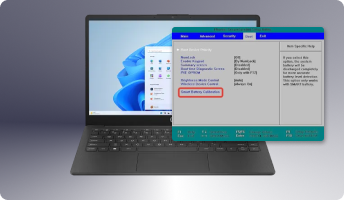 BATTERY CALIBRATION IN A LAPTOP
Laptop battery calibration – learn how this simple process can restore correct battery readings on your device.Read More
BATTERY CALIBRATION IN A LAPTOP
Laptop battery calibration – learn how this simple process can restore correct battery readings on your device.Read More -
LENOVO POWER MANAGER
Program komputerowy firmy Lenovo o nazwie Power Manager jest świetnym programem do zarządzania energią w laptopach....Read More
-
HOW TO REGENERATE A LAPTOP BATTERY – PART II
Regenerating a laptop battery may sound simple, but in practice it requires precision, technical awareness and a...Read More
Leave a comment