














test

0
-
-
-
Categories
-
-
-
-
-
-
-
-
-
-
-
-
-
-
-
-
-
-
- Akumulatory do bandownic
- Akumulatory do drukarek
- Akumulatory do foteli
- Akumulatory do stroboskopów
- Batteries for roller shutters
- Camera batteries
- Control device
- Diagnostic devices
- Flashlight batteries
- Gas nailers
- Geodetic devices
- Maszynki do strzyżenia
- Medical equipment
- Mop Batteries
- Mower batteries
- Thermal imaging cameras
- Welding accessories
-
-
-
-
-
-
-
-
-
Bicycles
- A2B
- Acecycles
- AEG
- Ansmann
- BionX
- BMZ
- Bulls
- Chilwee
- Clean Air
- Cleantron
- Derby
- Di Blasi
- Easy Motion
- Ecobike
- Fischer
- Gazelle
- Giant
- Grace
- Guru
- Heinzmann
- Hercules
- Kalkhoff
- Karcher
- Leaos
- Maratron
- Mate
- Matrabike
- MiFa
- NCM
- Panterra
- Phylion
- Prophete
- Protanium
- Qwic
- Sachs
- Samsung
- Sparta
- Stromer
- Suntour
- Sushi
- Telefunken
- Tianneng
- TranzX
- Triride
- Urban Mover
- Xiaomi
- Xion
- Yamaha
- Forklifts
- scooters
- Segway
- Skateboards
-
Bicycles
-
-
-
-
-
-
-
-
-
-
-
-
-
-
-
-
Kategorie
-
-
-
Featured
-
-
-
-
-
-
-
-
-
Kategorie
-
-
-
Featured
-
-
-
-
-
-
Latest posts
-
-
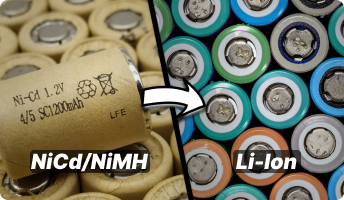 Dlaczego nie warto przerabiać akumulatorów NiCd/NiMH na Li-ion?
Artykuł wyjaśnia, dlaczego przerabianie akumulatorów NiCd i NiMh na Li-ion w elektronarzędziach często nie ma sensu...
-
 MEMORY EFFECT – TRUTH OR FICTION?
The so-called battery memory effect, often referred to as “cycle memory”, was traditionally described as a phenomenon...
-
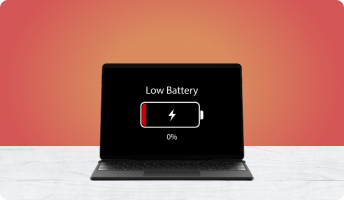 WHAT TO DO WHEN YOUR LAPTOP BATTERY REFUSES TO CHARGE
Wielu użytkowników laptopów spotyka się z sytuacją, w której bateria przestaje się ładować, system nie pokazuje jej...
-
 BATTERY CAPACITY LOSS – WHY DOES MY BATTERY LAST ONLY 10 MINUTES?
Does your laptop battery last barely 10 minutes? Does moving the laptop from one room to another require you to...
-
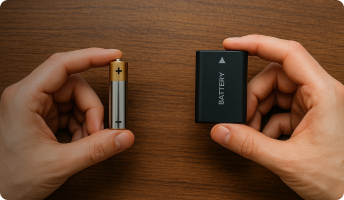 WHAT IS THE DIFFERENCE BETWEEN A BATTERY AND A RECHARGEABLE ACCUMULATOR?
Batteries and rechargeable accumulators are an essential part of modern life. Każdego dnia używamy urządzeń...
-
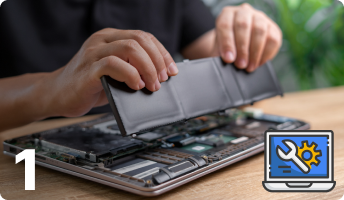 HOW TO REGENERATE A LAPTOP BATTERY – PART I
Regenerating a laptop battery is far more complex than it may initially seem. It requires precision, technical...
-
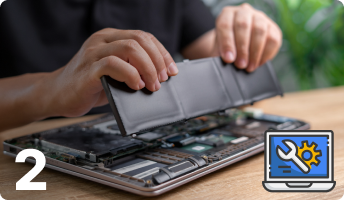 HOW TO REGENERATE A LAPTOP BATTERY – PART II
Regenerating a laptop battery may sound simple, but in practice it requires precision, technical awareness and a...
-
 BATTERY CHARGERS
Choosing the right battery chargers increases the performance and lifespan of a battery. Selecting an unsuitable...
-
 LENOVO POWER MANAGER
Program komputerowy firmy Lenovo o nazwie Power Manager jest świetnym programem do zarządzania energią w laptopach....
Blog categories
Search in blog
Archived posts
LENOVO POWER MANAGER
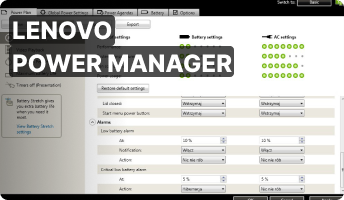
Lenovo Power Manager is a dedicated application designed to control and optimize power usage in Lenovo notebooks. Among similar tools from other manufacturers, this one stands out for its wide range of features and overall flexibility. What makes it so useful? Let’s take a closer look.
Power Plans
The first section of the application contains customizable power plans. Each plan can be fully adjusted depending on whether the laptop is running on battery power or connected to the charger. You can modify everything — from display brightness to automatic warnings. One of the most convenient features is the ability to save and load predefined profiles. This makes switching between work modes extremely easy, especially if your workflow varies throughout the day.
Even if you experiment with unusual settings, there is no risk — the restore default settings option allows you to revert all changes back to Lenovo’s factory configuration in just a moment.

Global Power Settings
If you prefer not to use individual power plans, the Global Power Settings tab allows you to apply universal rules that affect the entire system. A particularly smart feature is automatic brightness reduction during system startup or shutdown — a moment when you usually do not interact with the device anyway. This small optimization helps save power without affecting usability.

Energy Agenda Calendar
The Power Agendas tab is a perfect solution for users who spend many hours a day on their laptops. It allows you to schedule energy-saving actions for specific days and times. For example, you can set the laptop to hibernate every day during your lunch break or automatically switch to power-saving mode during late-evening hours.

Battery Information
The Battery section includes detailed battery diagnostics that go far beyond what most laptops offer. Here you can find basic information such as battery capacity and estimated remaining time, but also advanced data: production date, cycle count, and controller manufacturer. These details are especially valuable for users planning to regenerate or rebuild their Lenovo battery, because they help determine whether a controller reset will be required.
Power Manager also provides a general evaluation of battery health, although the criteria used for this assessment are not clearly explained. It is a pity that the program does not show the battery’s wear level, which would provide an even more accurate picture of battery condition.

One of the most useful features is found under Battery Maintenance. Here you can define the exact battery charge thresholds at which the laptop should begin charging or stop charging. Thanks to this, you no longer have to manually unplug the charger to prevent full-cycle charging. The program handles everything automatically.
This section also includes the battery calibration tool (perform reset). Personally, I recommend using calibration carefully, as very deep discharging can cause charging problems — dropping below 3% is generally unsafe for lithium-ion batteries.

Summary
Lenovo Power Manager is an exceptionally powerful and practical tool for anyone using a Lenovo laptop. It can noticeably extend battery lifespan, improve energy efficiency and provide full control over how the system consumes power. Not every laptop manufacturer offers software this detailed — aside from Lenovo, only HP provides something similar with its HP Battery Checker, but its functionality is far more limited.
Posted in:
Problemy z ładowaniem baterii
Related posts
-
 RESETTING THE SMC CONTROLLER
Learn how to diagnose when your MacBook requires an SMC reset and how to safely perform the procedure yourself.Read More
RESETTING THE SMC CONTROLLER
Learn how to diagnose when your MacBook requires an SMC reset and how to safely perform the procedure yourself.Read More -
 BATTERY LIFESPAN IN A LAPTOP
If you have ever wondered how to extend the lifespan of your laptop battery, this article will guide you through the...Read More
BATTERY LIFESPAN IN A LAPTOP
If you have ever wondered how to extend the lifespan of your laptop battery, this article will guide you through the...Read More -
 BATTERY CALIBRATION IN A LAPTOP
Laptop battery calibration – learn how this simple process can restore correct battery readings on your device.Read More
BATTERY CALIBRATION IN A LAPTOP
Laptop battery calibration – learn how this simple process can restore correct battery readings on your device.Read More -
 PROBLEM WITH CHARGING A DELL BATTERY
Do you own a Dell laptop and your battery refuses to charge? Does the system show “plugged in, not charging”? Read...Read More
PROBLEM WITH CHARGING A DELL BATTERY
Do you own a Dell laptop and your battery refuses to charge? Does the system show “plugged in, not charging”? Read...Read More -
HOW TO REGENERATE A LAPTOP BATTERY – PART II
Regenerating a laptop battery may sound simple, but in practice it requires precision, technical awareness and a...Read More
Leave a comment